When the Numbers Stop Making Sense
You opened QuickBooks to check your bank balance, and the number on the screen does not match the number on your banking app. Maybe it is off by a few hundred dollars. Maybe it is off by tens of thousands. Either way, you are staring at a balance that is completely wrong, and you have no idea how it got that way or what to do about it. This is one of the most common and most unsettling problems a business owner can face, because it strikes at the foundation of every financial decision you make.
A wrong balance in QuickBooks is not just a cosmetic issue. It means every report that pulls from that balance is also wrong. Your Profit and Loss statement is wrong. Your Balance Sheet is wrong. Your cash flow projections are wrong. The tax return you file based on those numbers could be wrong. And if you are making purchasing decisions, hiring decisions, or loan applications based on a balance that does not reflect reality, you are operating on fiction. This guide explains exactly why QuickBooks balances go wrong, the specific mechanisms behind each type of error, and the correct way to fix them without destroying your historical data or creating new problems in the process.
The Six Reasons Your QuickBooks Balances Are Wrong
Wrong balances do not happen by magic. They happen through specific, identifiable mechanisms. Understanding which one caused your problem is the first step toward fixing it correctly. Here are the six most common causes, ranked roughly by how frequently we see them in client files that come to us for cleanup.
1. Reconciliation Was Never Completed
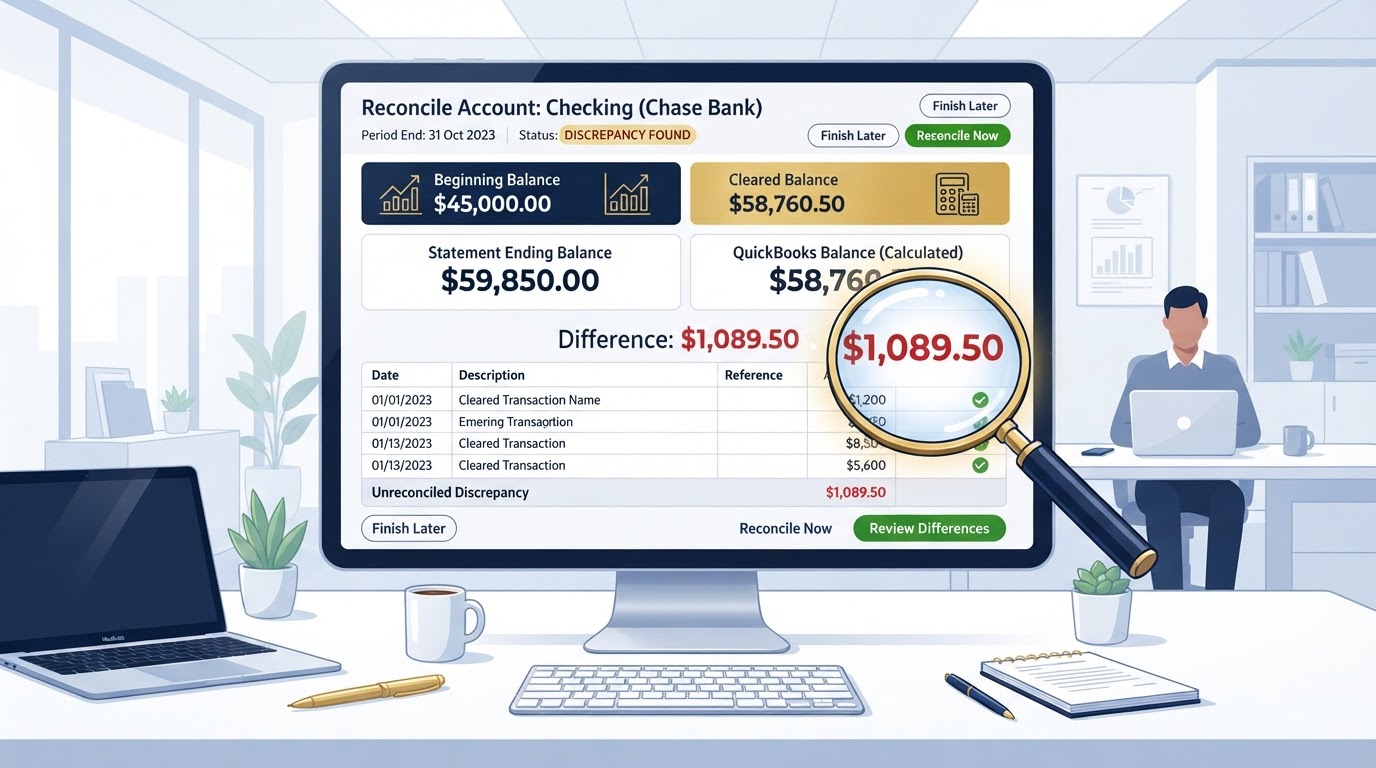
The single most common cause of a wrong balance in QuickBooks is that the account was never properly reconciled. Reconciliation is the process of comparing every transaction in QuickBooks to every transaction on your bank or credit card statement and confirming that they match. When you complete a reconciliation, QuickBooks marks the account as reconciled to a specific statement ending balance. If that process was skipped, or started but never finished, the QuickBooks balance drifts away from the real bank balance over time.
This drift happens because transactions get added, edited, or deleted in QuickBooks without anyone confirming they match the bank. A transaction might be recorded twice. A transaction might be recorded for the wrong amount. A transaction might be recorded in the wrong account. Without reconciliation, none of these errors get caught, and the balance silently diverges from reality. By the time the owner notices, the difference could be months or years of accumulated errors, which makes the fix much harder than it would have been if the problem had been caught early.
2. Undeposited Funds Was Never Cleared
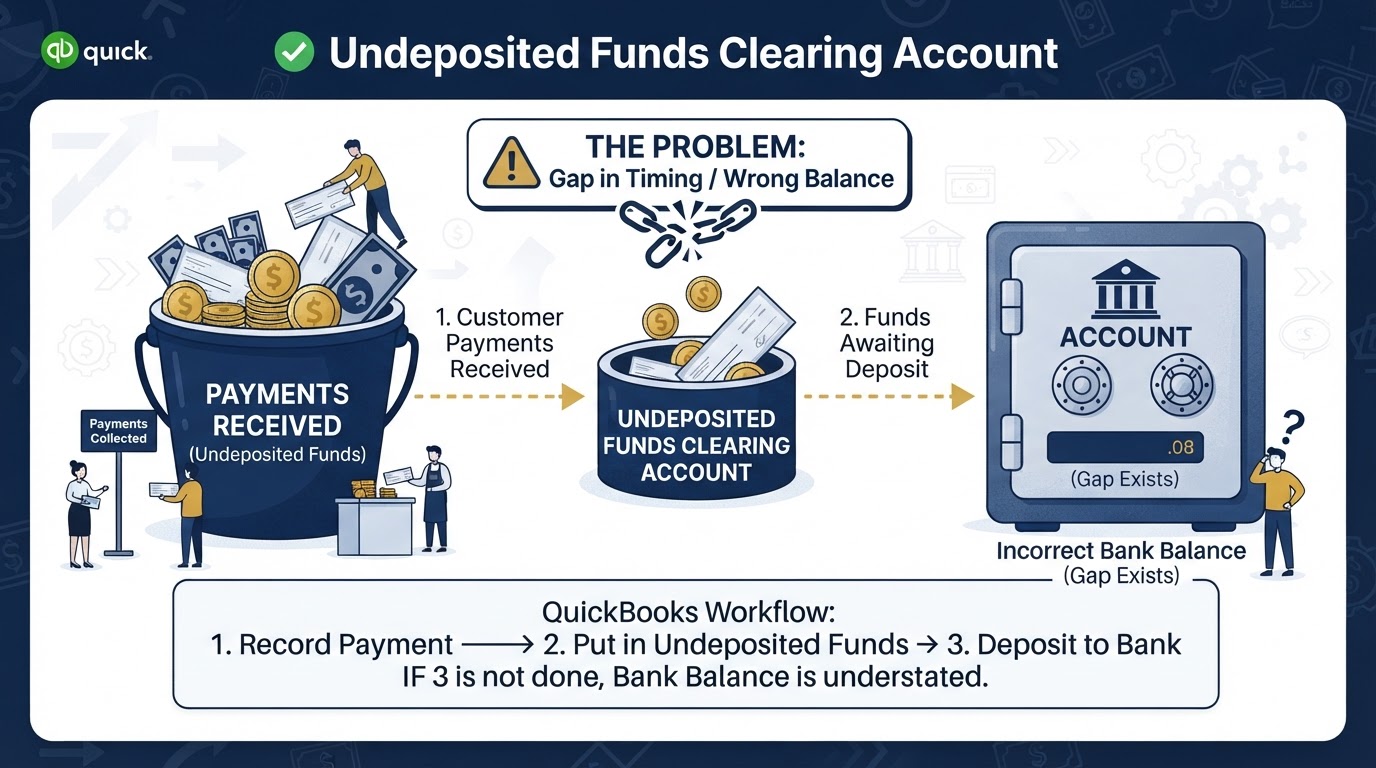
Undeposited Funds is a special holding account in QuickBooks. When you receive a payment from a customer and record it in QuickBooks, the payment goes into Undeposited Funds rather than directly into your bank account. The idea is that you group multiple payments together into a single deposit, matching how your bank actually records the deposit. When you make the deposit in QuickBooks, the money moves from Undeposited Funds into your checking account.
The problem is that many business owners never complete that second step. They record the customer payment, see it in QuickBooks, and assume the balance is correct. But the money is sitting in Undeposited Funds, not in the checking account. Over time, Undeposited Funds builds up a large balance that represents money that has already hit the real bank account but was never moved in QuickBooks. This makes the checking account balance in QuickBooks appear lower than it actually is, and it creates a phantom asset on the Balance Sheet that does not correspond to any real money. We have seen Undeposited Funds balances of fifty thousand dollars or more in client files, all representing money that was already in the bank but never properly recorded.
3. Duplicate Transactions
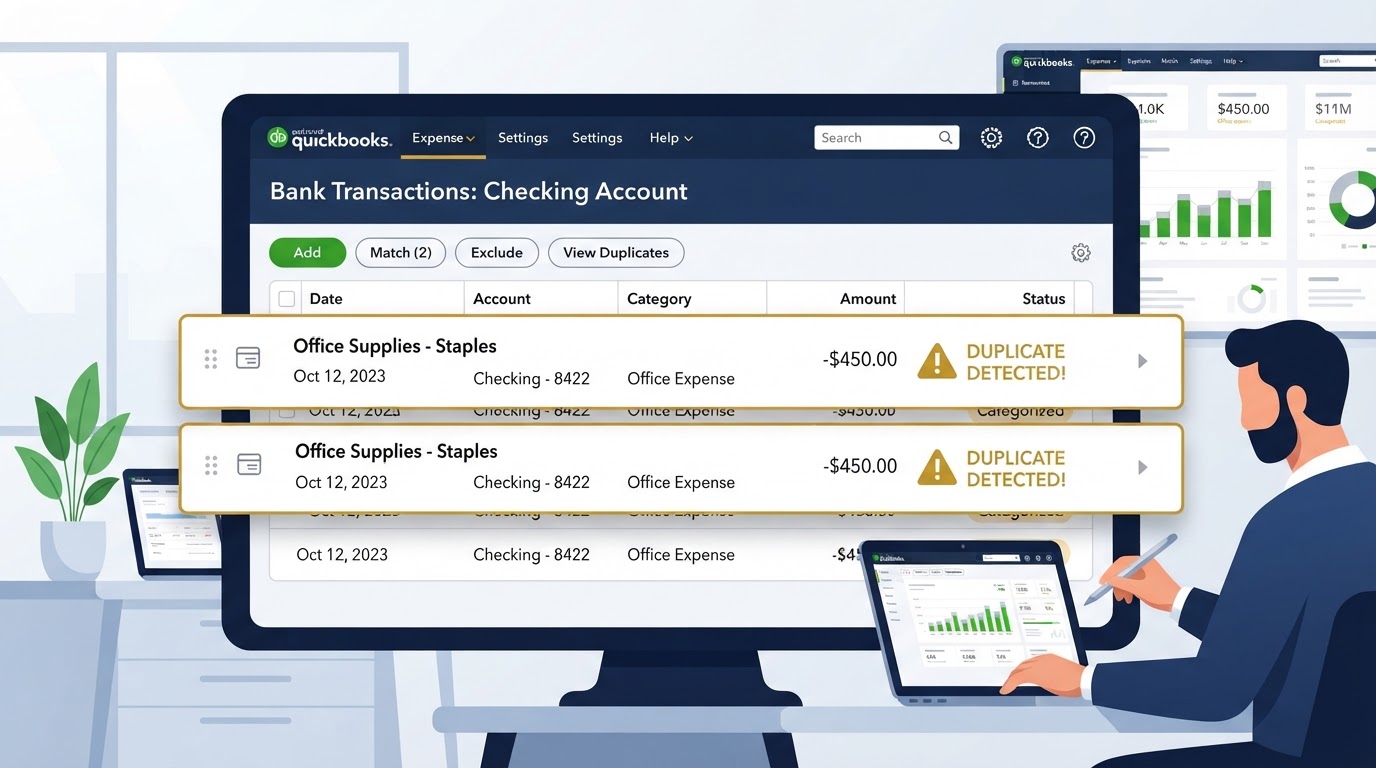
Duplicate transactions are exactly what they sound like. The same transaction is recorded twice in QuickBooks, which doubles the expense or doubles the income, and throws off the balance. This happens most often when a business owner manually enters a transaction and then the bank feed also downloads the same transaction. If both entries are accepted, the transaction is counted twice.
It also happens when a payment is recorded through the invoicing system and then also recorded as a separate deposit. Or when a credit card charge is entered manually and then matched incorrectly from the feed. Each duplicate might seem small, but over months and years, they compound. A business with a hundred transactions a month and even a small duplication rate can end up with a balance that is off by thousands of dollars. The fix requires identifying each duplicate, removing one copy, and confirming that the remaining entry matches the bank statement exactly.
4. Opening Balances Were Set Incorrectly
When a QuickBooks file is first set up, the opening balances for each account have to be entered correctly. This means the starting balance for every bank account, credit card, loan, and asset must match the actual balance on the date the file begins. If the opening balance is wrong, every reconciliation from that point forward will be off by the same amount, and the error will never resolve itself no matter how carefully you reconcile going forward.
Opening balance errors are particularly insidious because they are invisible. The business owner does not see them in day to day transactions. They only surface when a reconciliation refuses to clear, and even then, the owner usually assumes the problem is a recent transaction rather than a setup error from months or years ago. We frequently find that the opening balance was entered as the current bank balance on the day of setup rather than the balance on the date the QuickBooks file actually starts, which creates a permanent discrepancy that can only be fixed by correcting the opening balance entry and re-reconciling from the beginning.
5. Bank Feed Errors and Misapplied Rules
Bank feeds are designed to make bookkeeping easier by automatically importing transactions from your bank. But bank feeds are not infallible. They can drop transactions, import them late, or import them with the wrong amount. When a business owner trusts the feed completely without reconciling, these errors accumulate and the balance drifts.
Bank rules are another source of error. QuickBooks lets you create rules that automatically categorize transactions based on the payee name or description. If a rule is set up incorrectly, it can route transactions to the wrong account or category. For example, a rule that sends all transactions from a certain vendor to Office Supplies might accidentally send a loan payment there too, which misstates both the expense and the loan balance. Broken rules create systematic errors that repeat every month until the rule is fixed and the affected transactions are reclassified.
6. Commingled Personal and Business Transactions
When personal transactions flow through a business bank account, or when business transactions flow through a personal account that is connected to QuickBooks, the balances become meaningless. The QuickBooks balance includes transactions that are not business related, which means the business financials are contaminated with personal activity. This does not just make the balance wrong. It creates tax exposure, because personal expenses recorded in the business can be flagged by the IRS as nondeductible personal expenditures, and in the case of an LLC or corporation, it can pierce the corporate veil and eliminate the legal liability protection that the entity was created to provide.
The fix for commingling requires identifying every personal transaction in the business account, reclassifying it to an owner equity account, and implementing a system to prevent future commingling. This usually means separating the accounts entirely and establishing a disciplined reimbursement process for any legitimate business expense paid from personal funds.
How to Diagnose a Wrong Balance
Before you can fix a wrong balance, you have to figure out what is causing it. The diagnostic process is methodical, and it starts with the reconciliation report. In QuickBooks Online, you can pull the reconciliation history for any account and see whether prior months were reconciled successfully or if there are unreconciled periods. If the account was never reconciled, that is your starting point. If it was reconciled but the balance is still wrong, the problem is likely in the period after the last successful reconciliation.
The next step is to compare the QuickBooks balance to the actual bank statement balance for the same date. Note the exact difference. Then check the Undeposited Funds account. If it has a balance, that is likely part of the problem. Check for duplicate transactions by running a transaction report sorted by amount and looking for pairs. Review the bank feed for any transactions that are still in the review queue and have not been categorized. Each of these checks narrows down the source of the discrepancy until you can identify the specific transactions that need to be corrected.
The Diagnostic Checklist
- 1.Pull the reconciliation history and identify the last successfully reconciled period.
- 2.Compare the QuickBooks balance to the bank statement balance for the same date and note the exact difference.
- 3.Check the Undeposited Funds account for a balance that should be zero.
- 4.Run a transaction report sorted by amount to spot duplicates.
- 5.Review the bank feed for uncategorized transactions still in the review queue.
- 6.Verify the opening balance was entered correctly for the date the file begins.
- 7.Scan for personal transactions mixed into the business account.
The Correct Way to Fix a Wrong Balance
Fixing a wrong balance requires patience and a specific sequence of steps. The goal is to correct the balance without deleting historical transactions, because deleting transactions destroys the audit trail and can raise red flags if the IRS ever examines your records. Instead, every correction should be made through journal entries or transaction edits that preserve the original record while adjusting the balance to match reality.
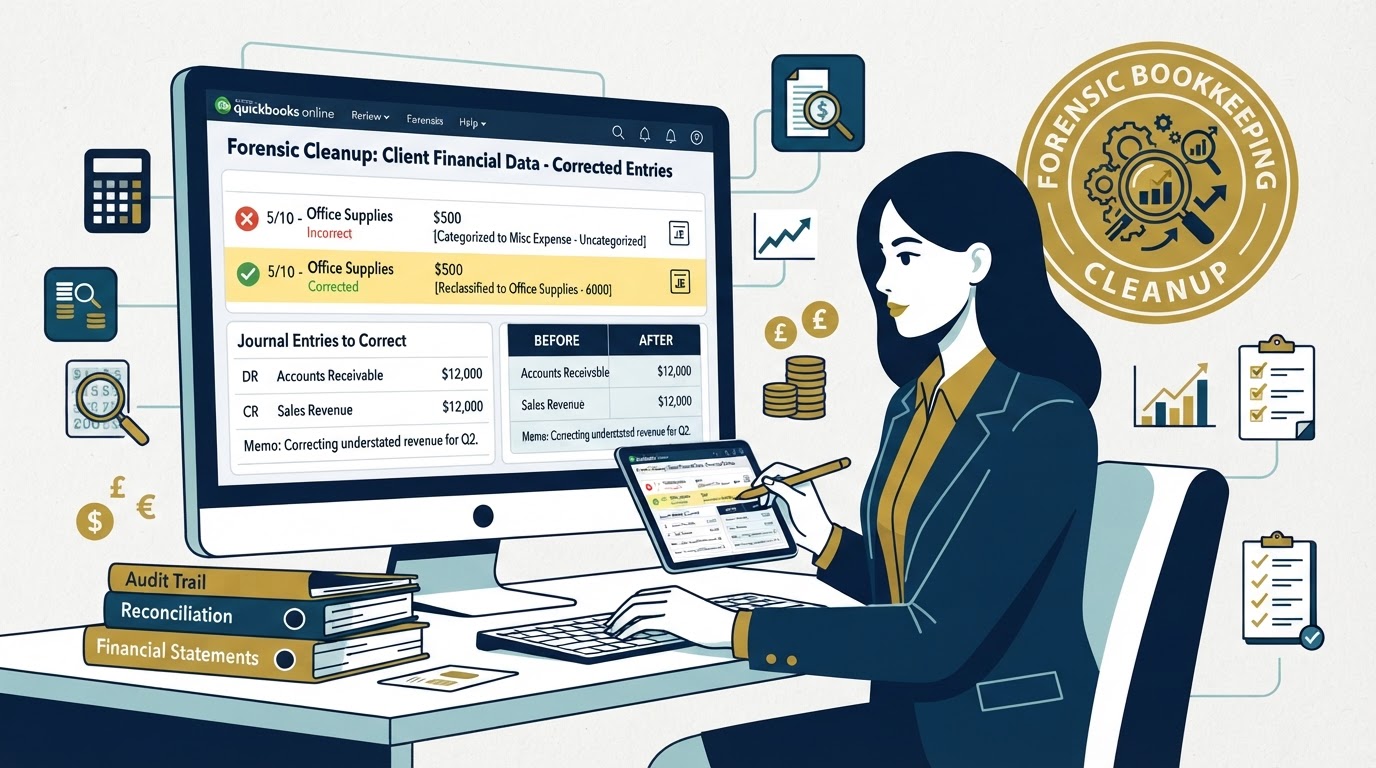
The process starts from the balance sheet and works upward. This means you fix the bank and credit card accounts first, because those are the most verifiable. You reconcile each account to the statement, month by month, oldest to newest. You never skip a month, because one unreconciled month breaks every month that follows. If a month will not reconcile, you investigate every transaction in that period until you find the error. Once the bank accounts are clean, you move to the loan accounts, then the credit card accounts, then the equity accounts, and finally you validate the Profit and Loss statement against the corrected balance sheet.
For Undeposited Funds, the fix is to create deposits in QuickBooks that move the money from Undeposited Funds into the checking account, matching the actual bank deposits. For duplicate transactions, you delete one copy of each pair, but only after confirming which one matches the bank statement. For opening balance errors, you post a journal entry that adjusts the opening balance to the correct amount, dated as of the file start date. For bank feed errors, you correct the affected transactions and fix the broken rules so the error does not repeat. For commingled transactions, you reclassify each personal transaction to an owner equity or distribution account.
"The biggest mistake business owners make when they find a wrong balance is trying to force a reconciliation by entering a plug number. A plug number is a fake transaction that makes the reconciliation clear without actually identifying the real error. It hides the problem instead of fixing it, and it creates a new error that will surface later, usually during a tax audit or a loan application when the stakes are highest."— Wiyao Awesso, Fiscal Integrity Group
FIG Case Study: A Restaurant With Eighteen Thousand Dollars in Phantom Balances
A restaurant owner in Los Angeles came to us after his QuickBooks checking balance showed eighteen thousand dollars less than his actual bank balance. He had been operating for two years without ever completing a reconciliation. His bookkeeper had been categorizing transactions from the bank feed but never matching them to statements or clearing Undeposited Funds. The result was a QuickBooks file that bore almost no resemblance to reality.
Our team started by pulling the reconciliation history and confirming that no month had ever been reconciled. We then pulled every bank statement for the past two years and began reconciling month by month, starting from the oldest. In the first month alone, we found three duplicate transactions totaling four thousand dollars and an Undeposited Funds balance of nine thousand dollars that had never been cleared. As we worked forward, we found a broken bank rule that was sending credit card processing fees to the wrong account, and a series of personal transactions that the owner had run through the business account.
The cleanup took three weeks. By the end, every account was reconciled, the Undeposited Funds account was at zero, the duplicates were removed, the broken rule was fixed, and the personal transactions were reclassified. The QuickBooks balance now matched the bank balance to the penny. The owner also discovered that he had been overreporting his income by roughly twelve thousand dollars, which meant he had overpaid his taxes. We helped him file an amended return and recovered the overpayment. The total value of the cleanup, including the tax recovery, was more than double the cost of the engagement.

How to Prevent Wrong Balances From Returning
Fixing a wrong balance is only half the job. The other half is making sure it does not come back. Prevention requires a monthly close process that includes a full reconciliation of every bank account, every credit card, and every loan account to the corresponding statement. The reconciliation must be completed to zero difference, meaning the QuickBooks balance matches the statement balance exactly. If it does not, the difference must be investigated and resolved before the month is closed.
The monthly close should also include clearing the Undeposited Funds account to zero, reviewing the bank feed for any transactions still in the review queue, and scanning for duplicate transactions. Bank rules should be reviewed quarterly to make sure they are still categorizing transactions correctly. And personal transactions should never flow through the business account. If a business expense must be paid from personal funds, it should be documented and reimbursed through a formal process, not mixed into the business account and sorted out later.
The most effective prevention is having a professional bookkeeper who follows a documented close process every month, with a reviewer who signs off on the reconciliation before the period is locked. This is the system we implement for every client at Fiscal Integrity Group. The close process is not optional, and it is not something that gets done when there is time. It is the foundation of accurate financial reporting, and without it, balances will drift again.
When to Call a Professional
If your QuickBooks balance is off by a small amount and you have been reconciling regularly, you may be able to find and fix the error yourself by following the diagnostic checklist above. But if the difference is large, if you have never reconciled, if the file has months or years of uncorrected errors, or if you suspect the problem affects your tax returns, it is time to call a professional.
A professional bookkeeper with cleanup experience can diagnose the problem faster, fix it correctly without destroying your audit trail, and implement the systems needed to prevent it from happening again. At Fiscal Integrity Group, we specialize in forensic bookkeeping cleanup for businesses across Los Angeles and Southern California. We have seen files in every condition, from slightly off to completely broken, and we know how to rebuild them correctly. If your QuickBooks balances are wrong and you are not sure where to start, we will diagnose the problem for you and give you a clear plan to fix it.
Quick Tax Savings Estimator
See how much you could potentially save with proactive tax strategy and clean bookkeeping. Most LA businesses overpay by 15-20% simply due to missed deductions.
Free IRS Audit Risk Assessment
Do you mix personal and business expenses in the same bank account?
Frequently Asked Questions
How far back can you catch errors?
I perform a deep forensic review of your history to catch errors and fix them. Whether it's one year or five, my goal is to ensure your historical data is pristine before we move forward.
Will you educate me on how to manage my books?
Yes! My approach is highly educational. I want you to understand the "why" behind the numbers so you can make better business decisions with confidence.

About the Author
Fiscal Integrity Group
Fiscal Integrity Group is a leading financial advisory firm in Los Angeles. With extensive experience in tax strategy, accounting, and fractional CFO services, we help business owners optimize their finances, minimize tax liabilities, and scale with confidence.